Legible
A reader for your markdown.
The Mac app that turns any folder of markdown into a calm reading experience. Point it at your Obsidian vault, an export from Claude, a folder a colleague shared. It just reads.

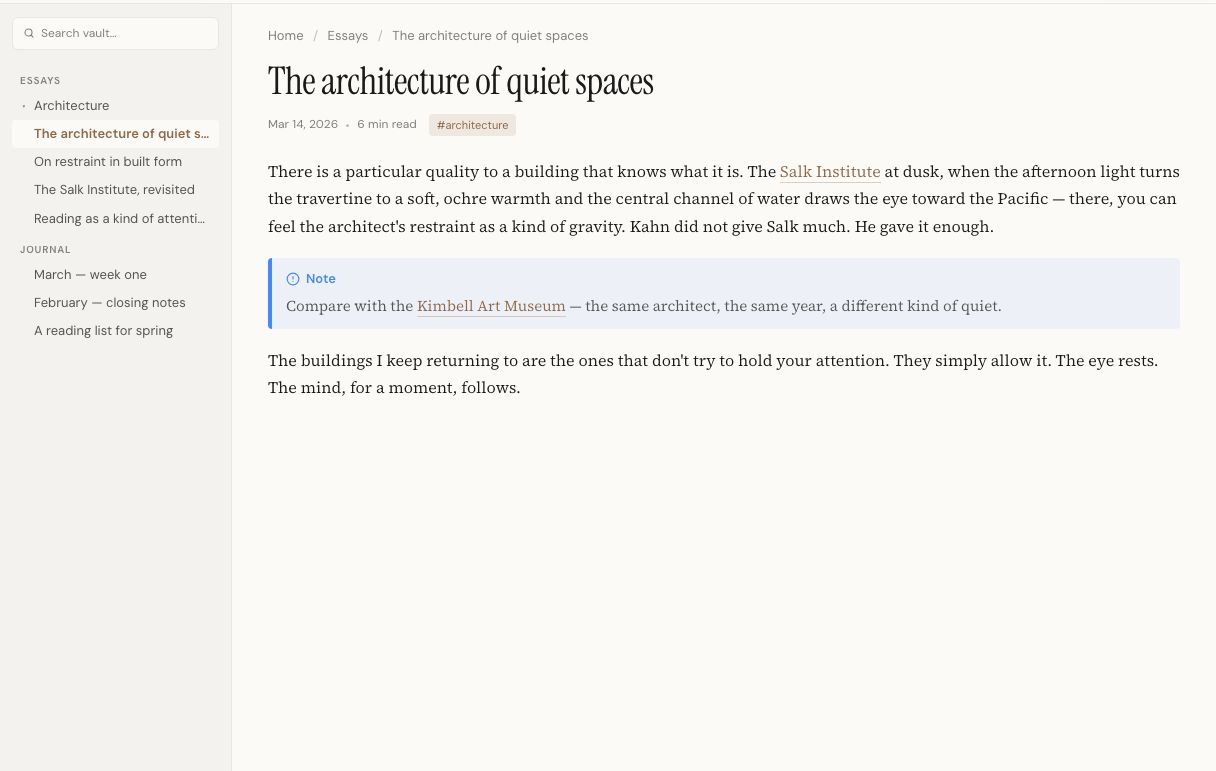
You edit your documents in a tool built for editing. What about reading them?
Plenty of tools help you write markdown. Few help you read it. Your notes, project plans, and PRDs all sit in folders as plain text. Fine to write in. Ugly to read in. Legible is the reading half. Point it at a folder, search across the whole thing, and read what comes up on a page built only for reading. No clutter. No accidental edits.
Works with any markdown.
Your existing markdown already works. No conversion step, no
second copy. Legible reads Obsidian vaults exactly as they're
written, and any other folder of .md files reads
cleanly too. Logseq, Bear, NotePlan and Joplin's tool-specific
bits land in plain markdown today. Native support is on the way.





Built for reading.
Open a folder, not a file.
Most apps open one file at a time. Legible opens the whole folder. The tree sits in the sidebar, ⌘K searches every file at once, and your folder structure stays exactly as you laid it out.
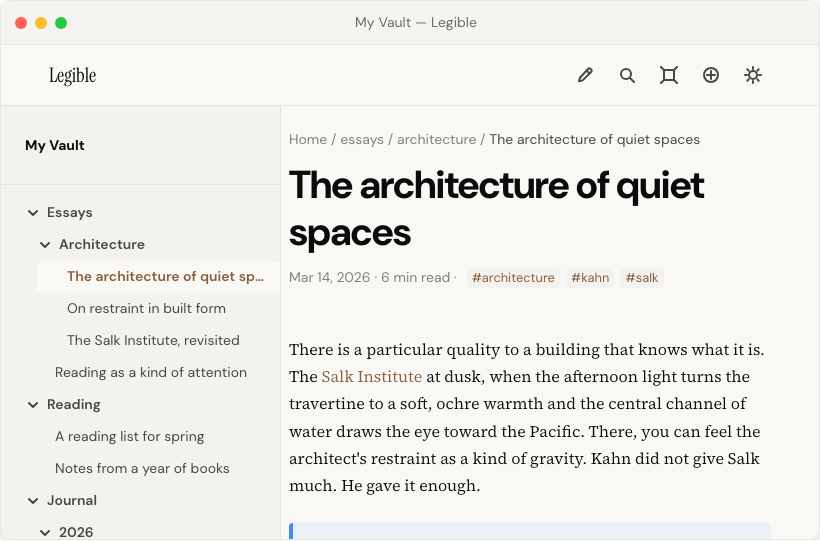
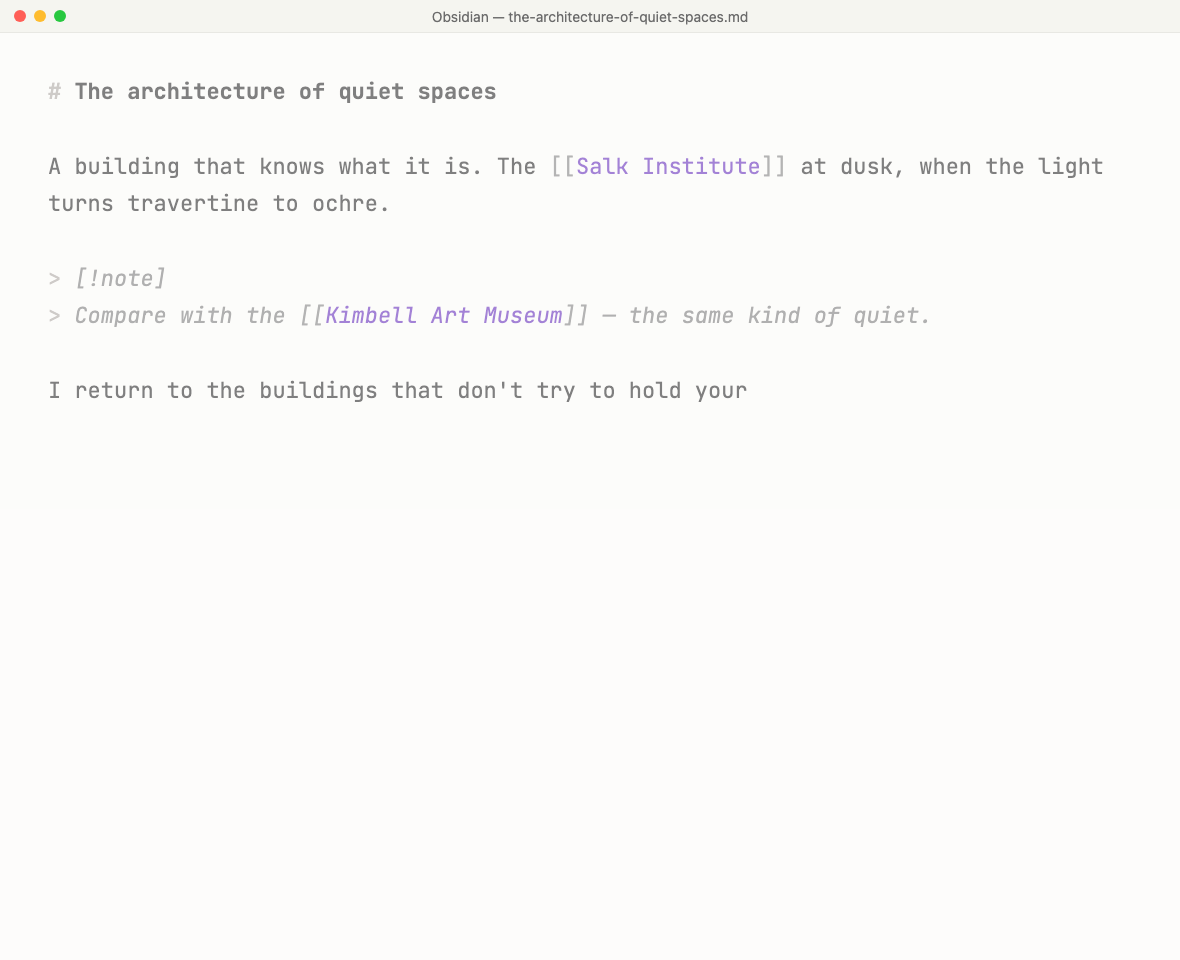
Edit in one window. Read in the other.
Open your editor on the left, Legible on the right. Edit your file, watch it update. No reload, no plugin, no round trip. Any editor that writes to disk works.

A reader, not an editor.
No edit toggle, no accidental keystrokes. The interface only knows how to read and navigate. Press z to drop the sidebar and read full-width. Reading isn't writing.
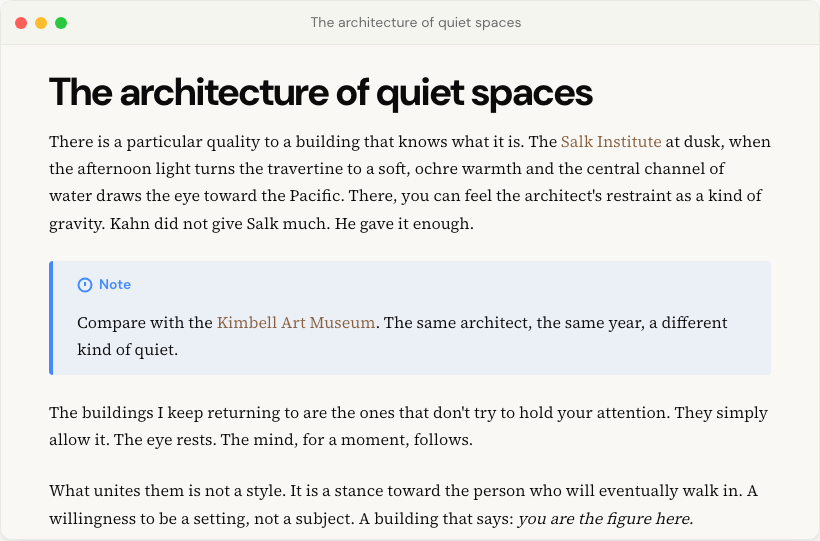
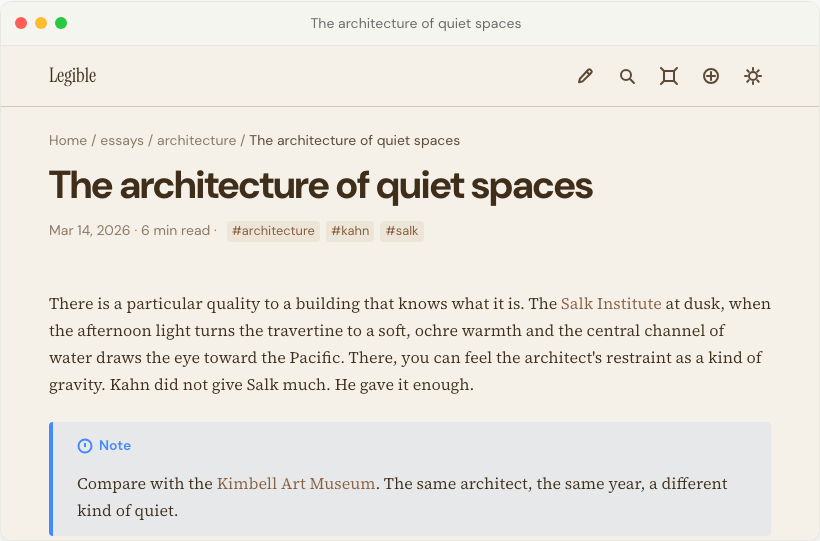
Typography that reads like a book.
A page that reads like paper, not a screen. Type chosen for long reading sittings. Light, sepia, dark, and high-contrast modes for any room. Nothing to configure.
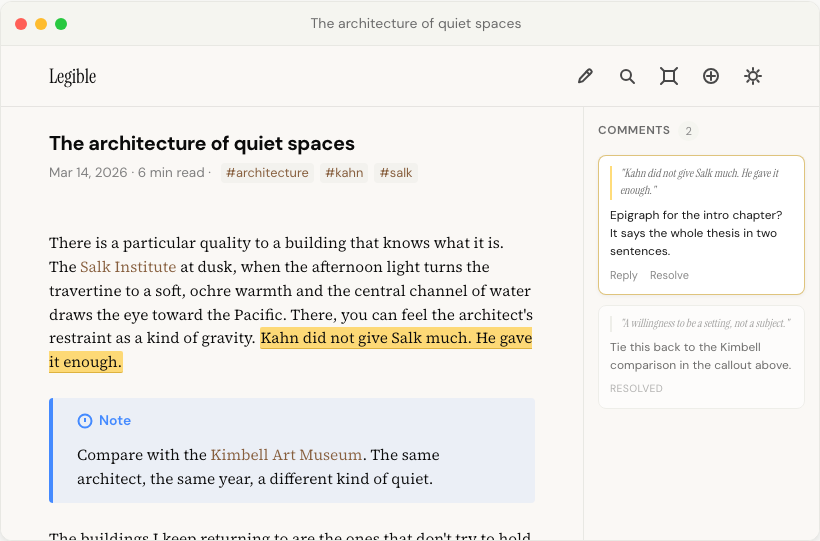
Mark it up. Never touch the file.
Select a passage, press c, say what needs to change. Comments live beside your files, never inside them, so your markdown stays exactly as you wrote it. Then put the markup to work: an AI connected over MCP can read your comments straight off the note and turn the feedback into the next draft. Working with people instead? Export a typeset PDF, comments included.
AI, on your terms.
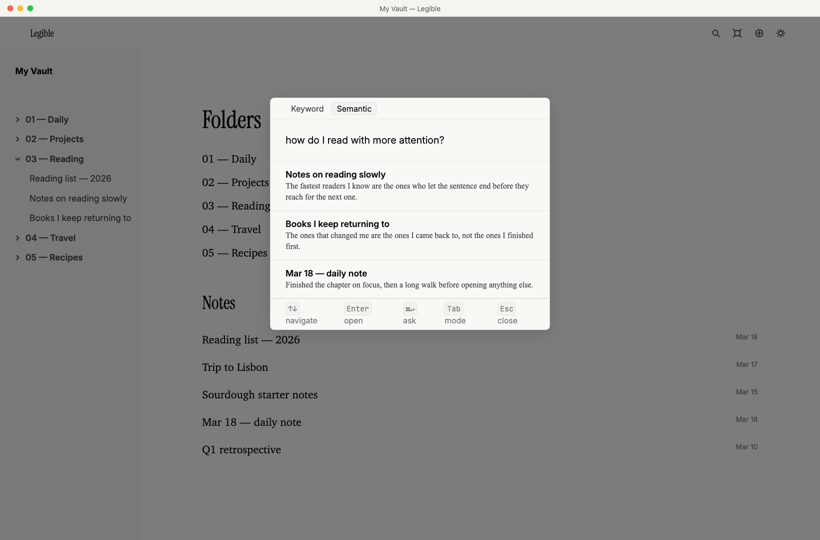
Search by meaning, not just keywords, with semantic search that runs entirely on your Mac. Ask a question in plain language and get answers with citations you can open, from a built-in model that runs on your Mac. No API key, no account, nothing sent anywhere. Want more? Bring your own key from OpenAI or Anthropic, point it at Ollama or LM Studio, or connect your whole vault to Claude over MCP. It's off until you turn it on, and nothing leaves your machine unless you choose a cloud model.
Pay once. Yours forever.
One price for everything. No subscription, no expiry, no extra fees later.
Not sure yet? Download the free trial. 14 days, no card up front.
- ✓ Every feature. Nothing held back.
- ✓ No subscription. No account.
- ✓ Works offline. Nothing leaves your Mac unless you ask.
- ✓ Apple Silicon native.
AI only if you ask. Off by default.